
 gongluzhen
2ac5cb4d19
add p3c
gongluzhen
2ac5cb4d19
add p3c
|
před 2 roky | |
|---|---|---|
| .. | ||
| doc | před 2 roky | |
| gradle | před 2 roky | |
| p3c-common | před 2 roky | |
| p3c-idea | před 2 roky | |
| .gitignore | před 2 roky | |
| README.md | před 2 roky | |
| README_cn.md | před 2 roky | |
| build.gradle | před 2 roky | |
| gradle.properties | před 2 roky | |
| gradlew | před 2 roky | |
| gradlew.bat | před 2 roky | |
| settings.gradle | před 2 roky | |
README.md
Idea Plugin
Prepare
- Project JDK: 1.7+
- Gradle: 3.0+(Require JDK1.8+ for gradle)
Build
cd p3c-idea
gradle clean buildPlugin
Run plugin
cd p3c-idea
gradle runIde
# run specific IDEA
gradle runIde -Pidea_version=14.1.7
Use p3c-common as your plugin dependency
compile 'com.alibaba.p3c.idea:p3c-common:1.0.0'
中文使用手册
Install
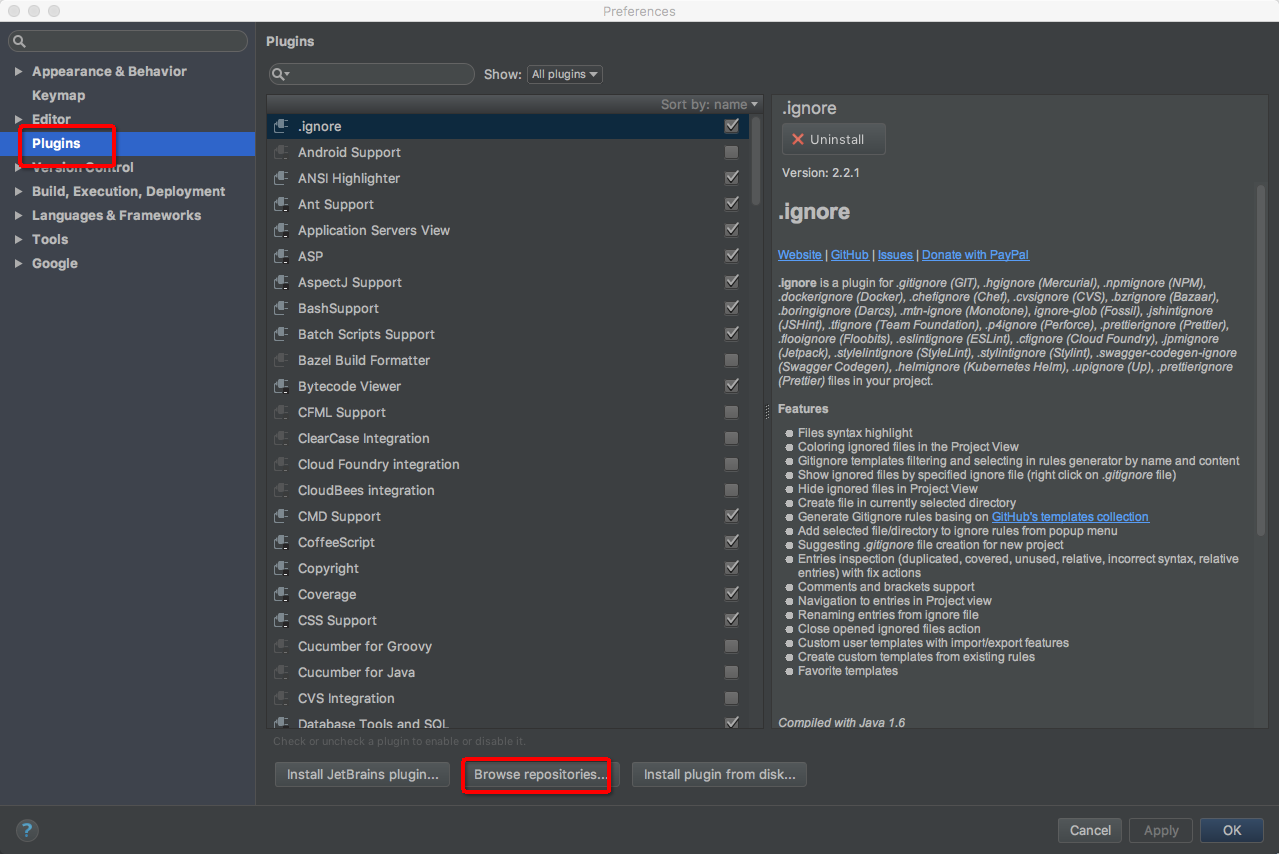
Install from repositories
Settings >> Plugins >> Browse repositories...
Search plugin by keyword 'alibaba' then install 'Alibaba Java Coding Guidelines' plugin
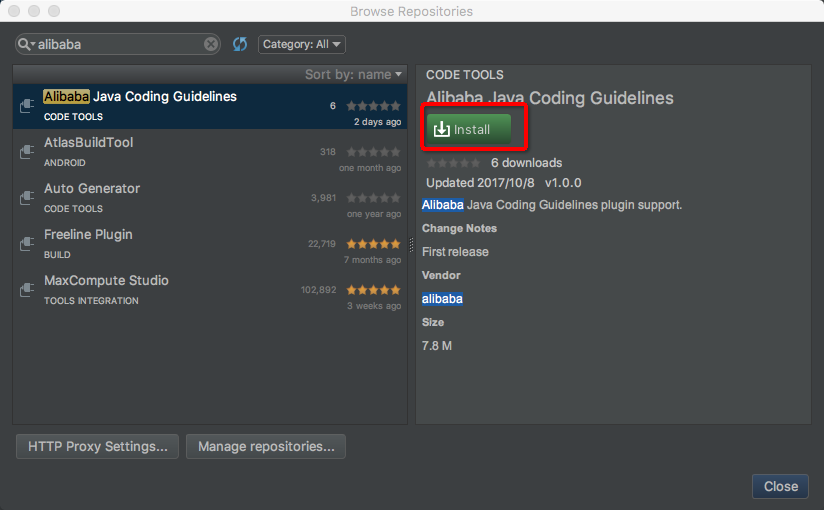
Restart to take effect.
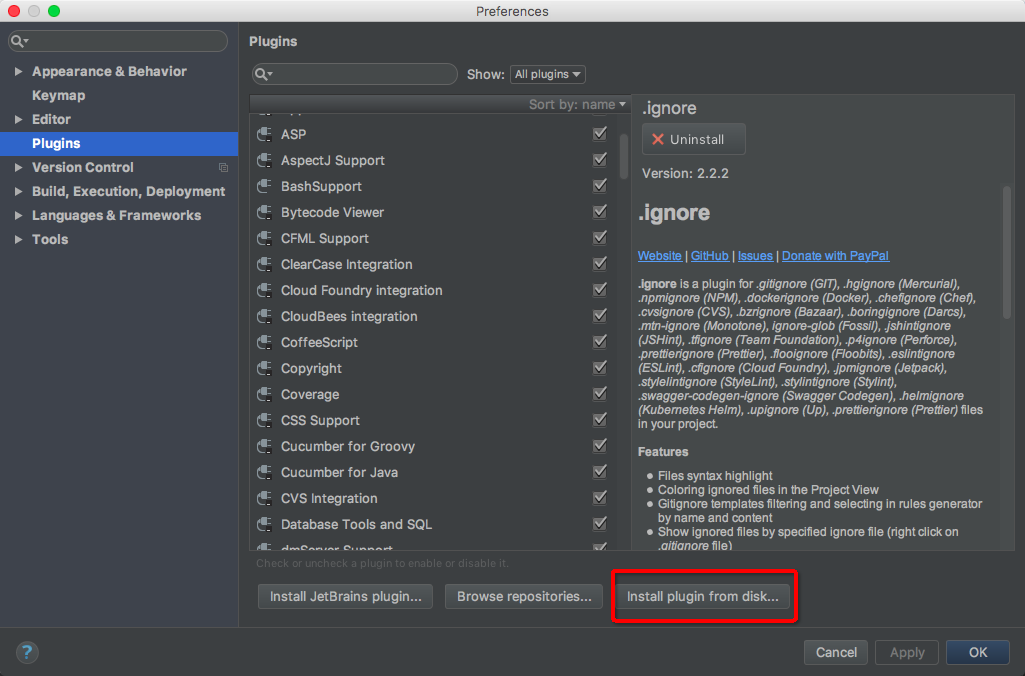
Install from local zip file.
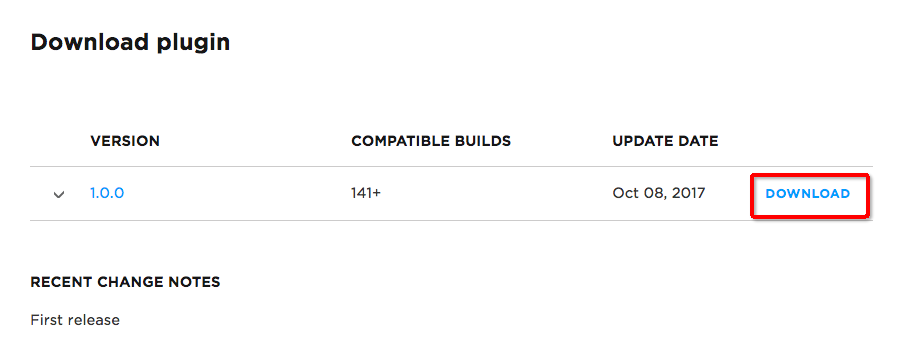
Open https://plugins.jetbrains.com/plugin/10046-alibaba-java-coding-guidelines and download the latest version zip file.
Settings >> Plugins >> Install plugin from disk...,select the downloaded zip file in previous step then restart your idea
Use
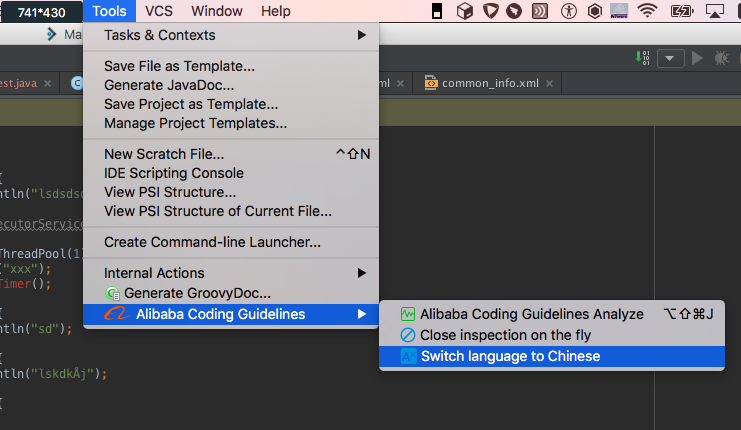
Switch language
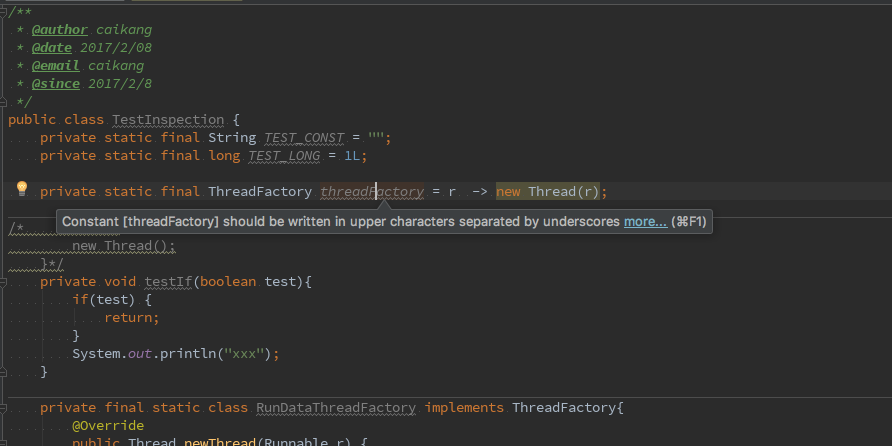
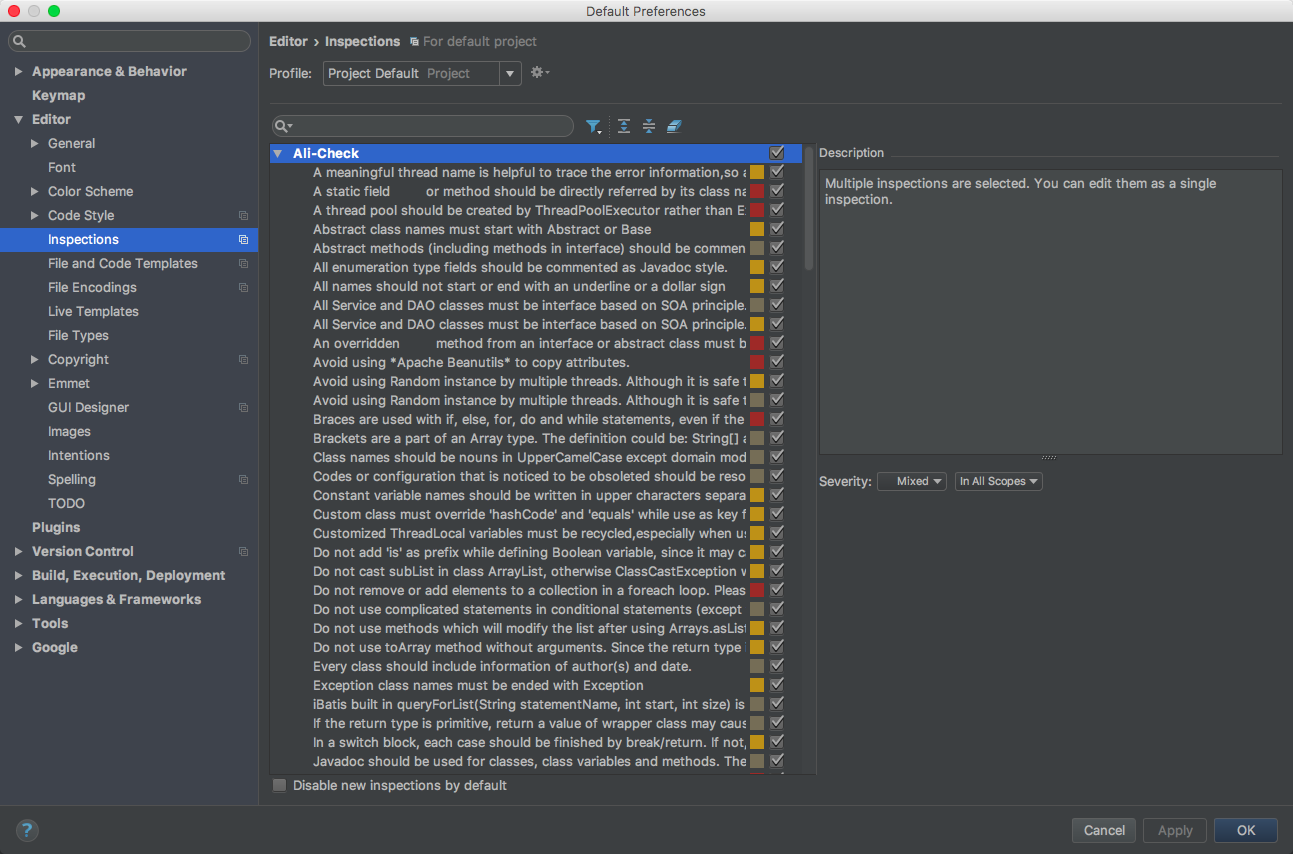
Inspections
Code Analyze
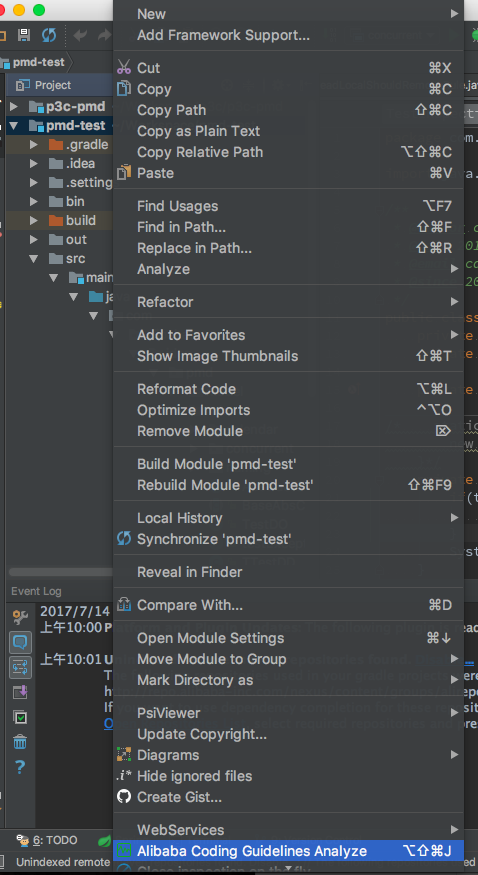
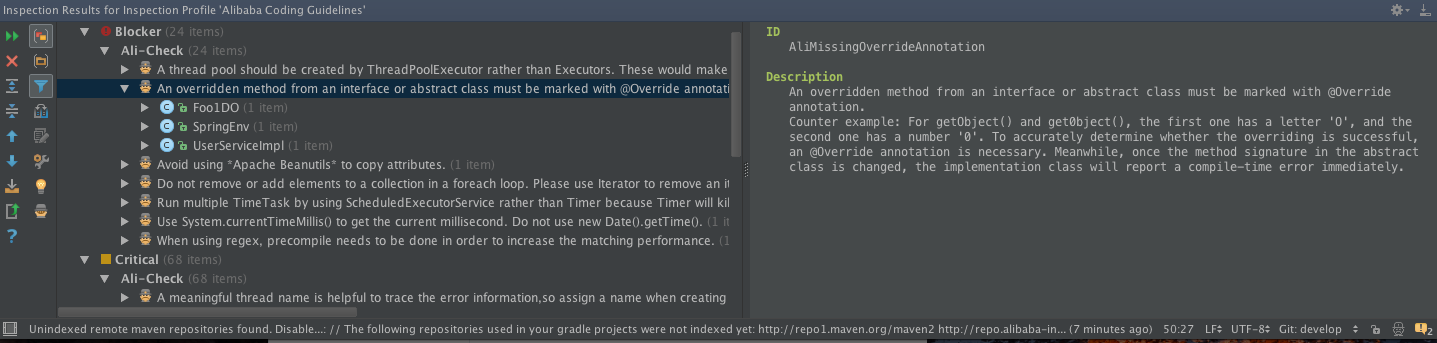
We use the idea standard Inspection Results to show our violations.
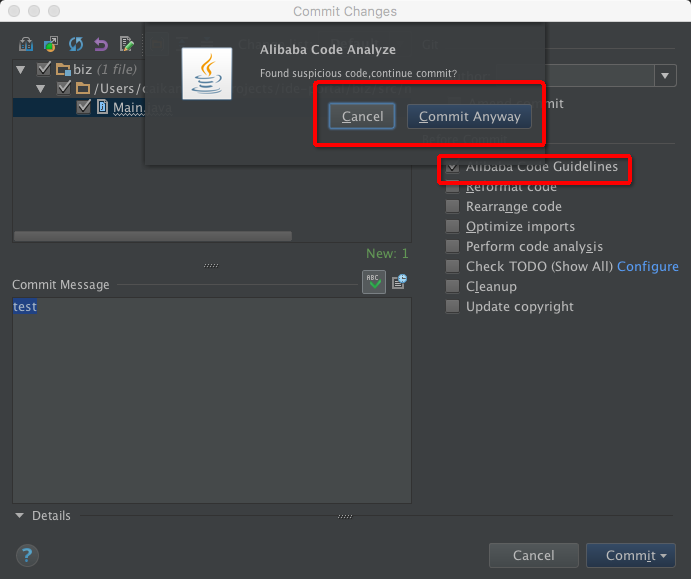
We can also analyze file which is modified before vcs checkin.
Other
-
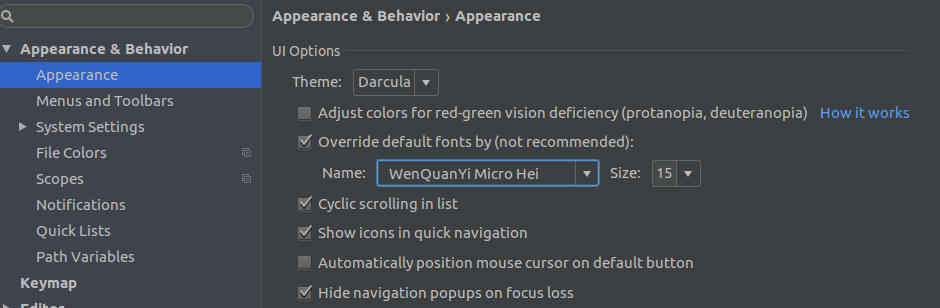
- Appearance&Behavior -> Appearance -> UI Options -> Name 里面设置成微软雅黑(microsoft yahei light)
- Switch Language to English and restart.
